The booking calendar - Private & Public Days

This is a particularly powerful feature for managing your dog walking or dog sitting business. You can set some of your dates to private, so that only certain people see them as available for booking.
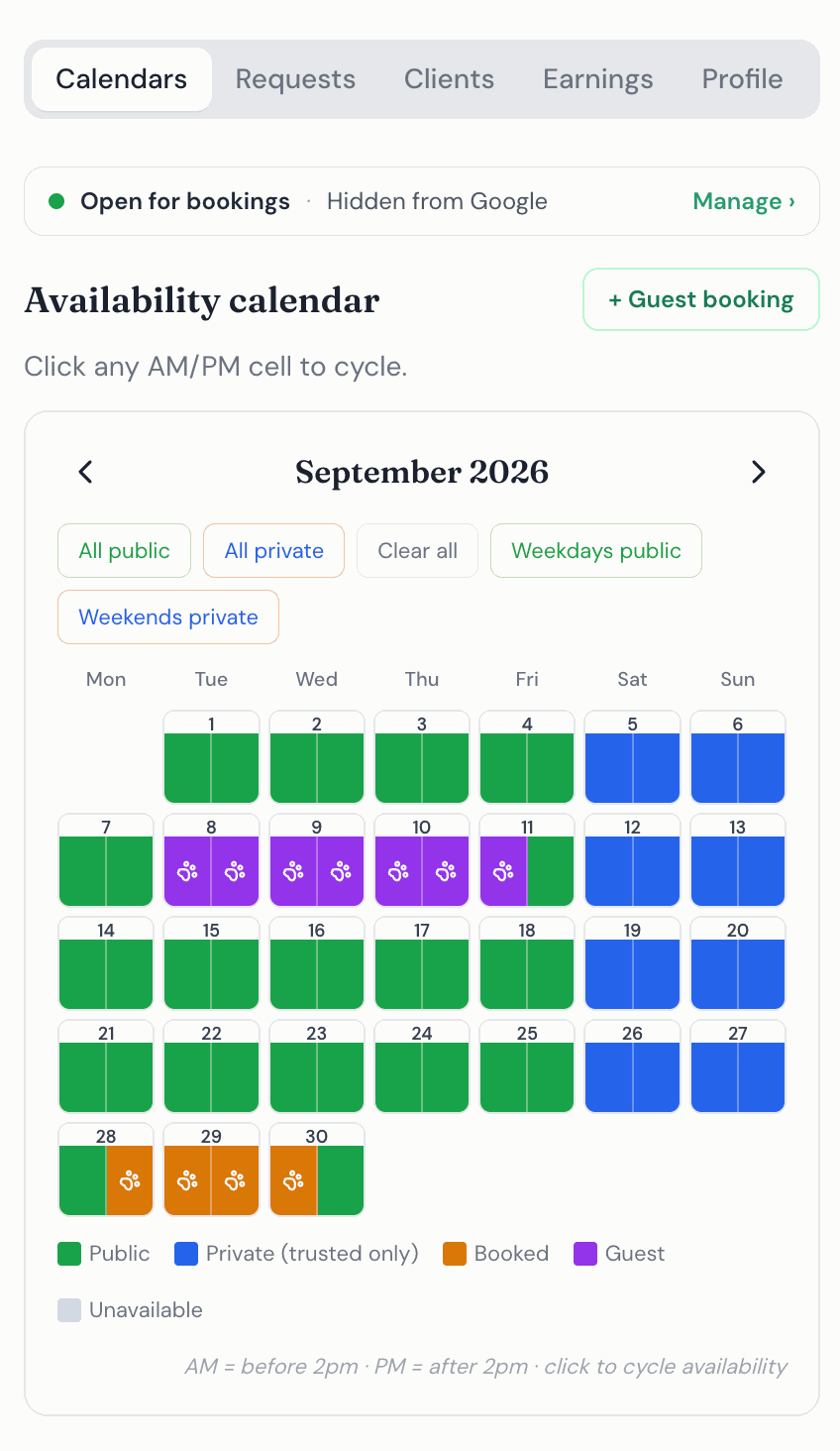
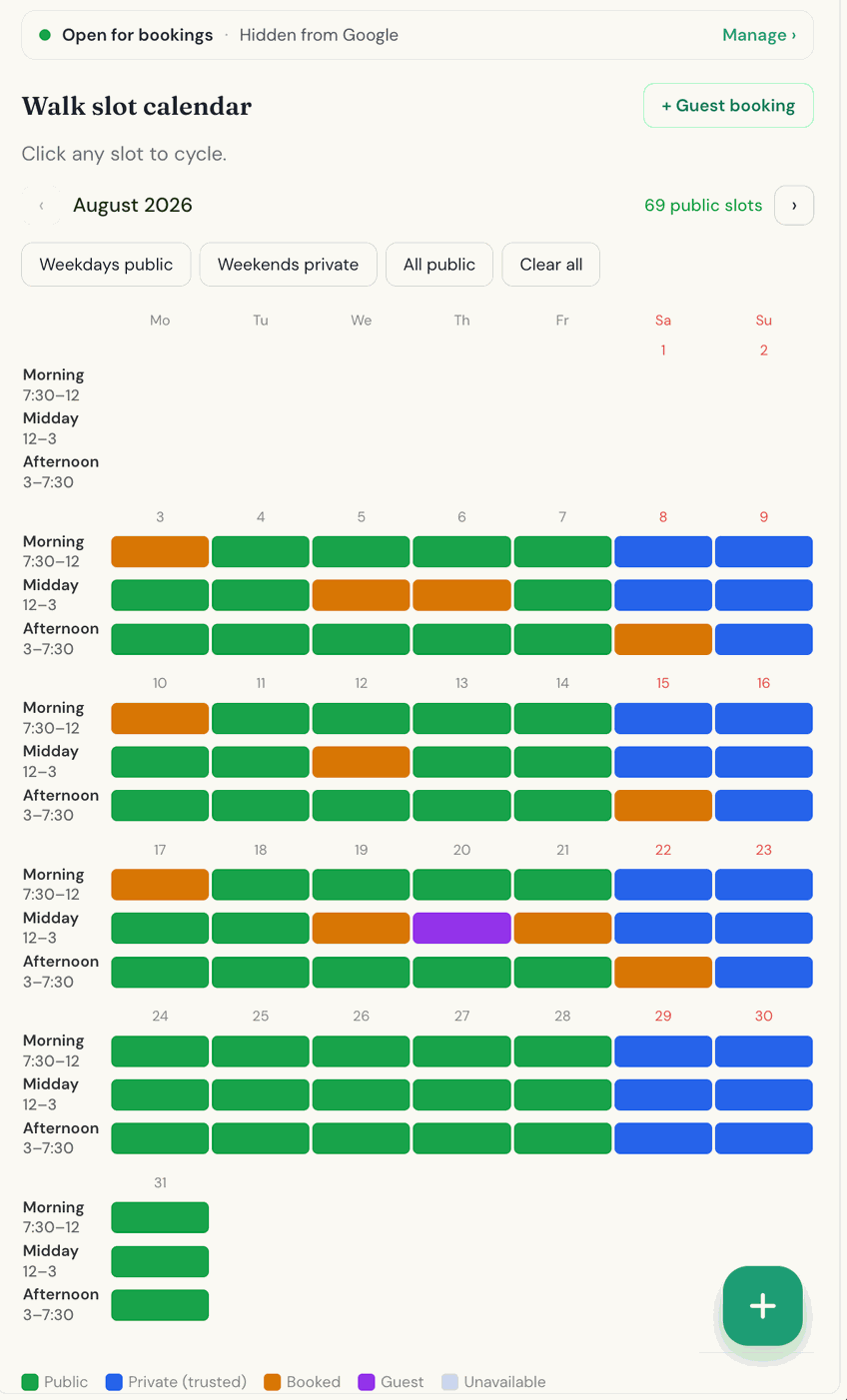
Public days: everyone sees them
Green days are public. Say you set the whole of November to green and send your booking link to a client. Every dog owner then sees all of November as open to book with you.
Private days: only accounts set to “Trusted” status see them
Blue days are private. What a dog owner sees on those days depends on who they are:
- An account set to “Trusted” status. If someone has booked with you before and has an account on The DoggyDesk, you can set their account to “Trusted” status. A client whose account is set to “Trusted” status sees both your green public days and your blue private days as available, so they can book either.
- Anyone else. Any other person browsing your calendar sees only your public days as available. Your blue private days simply appear as unavailable for booking.
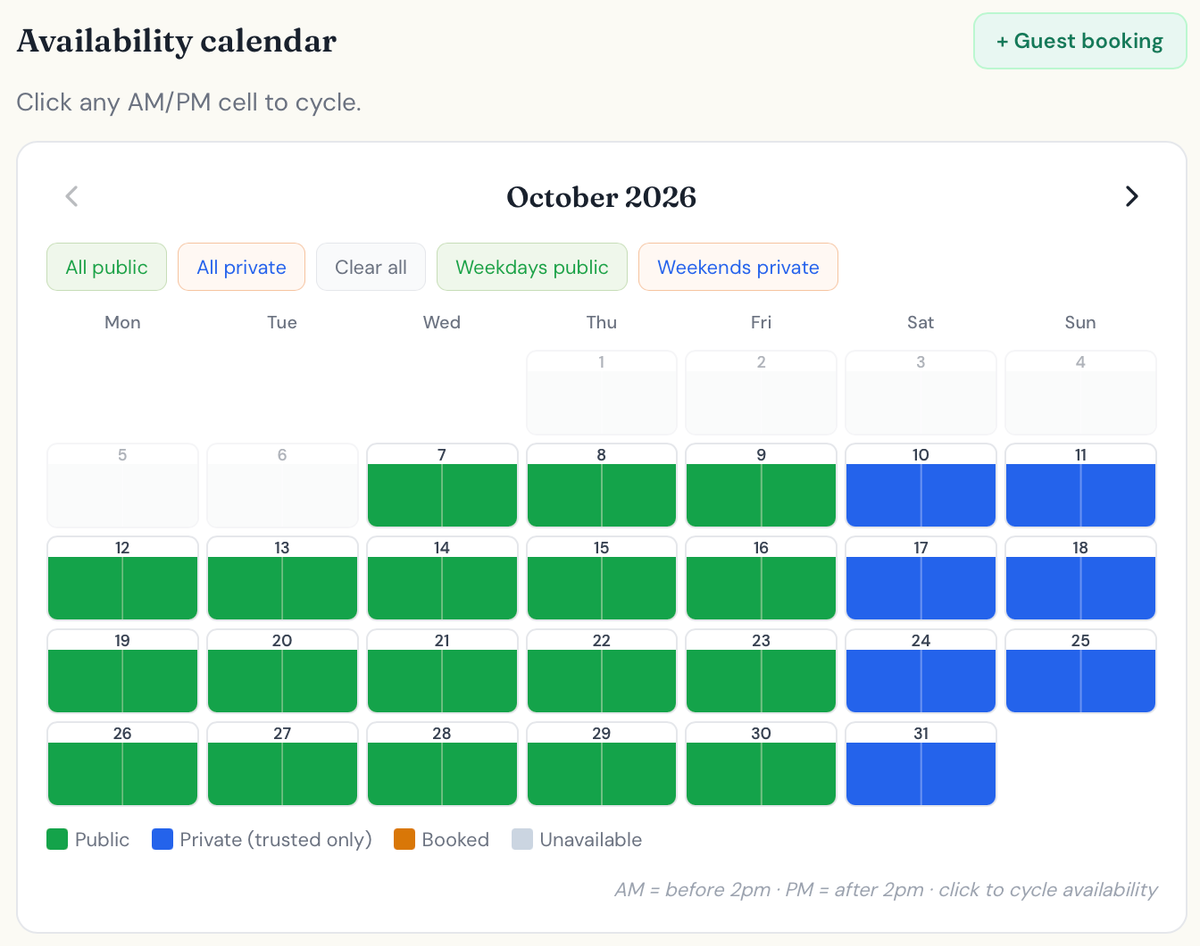
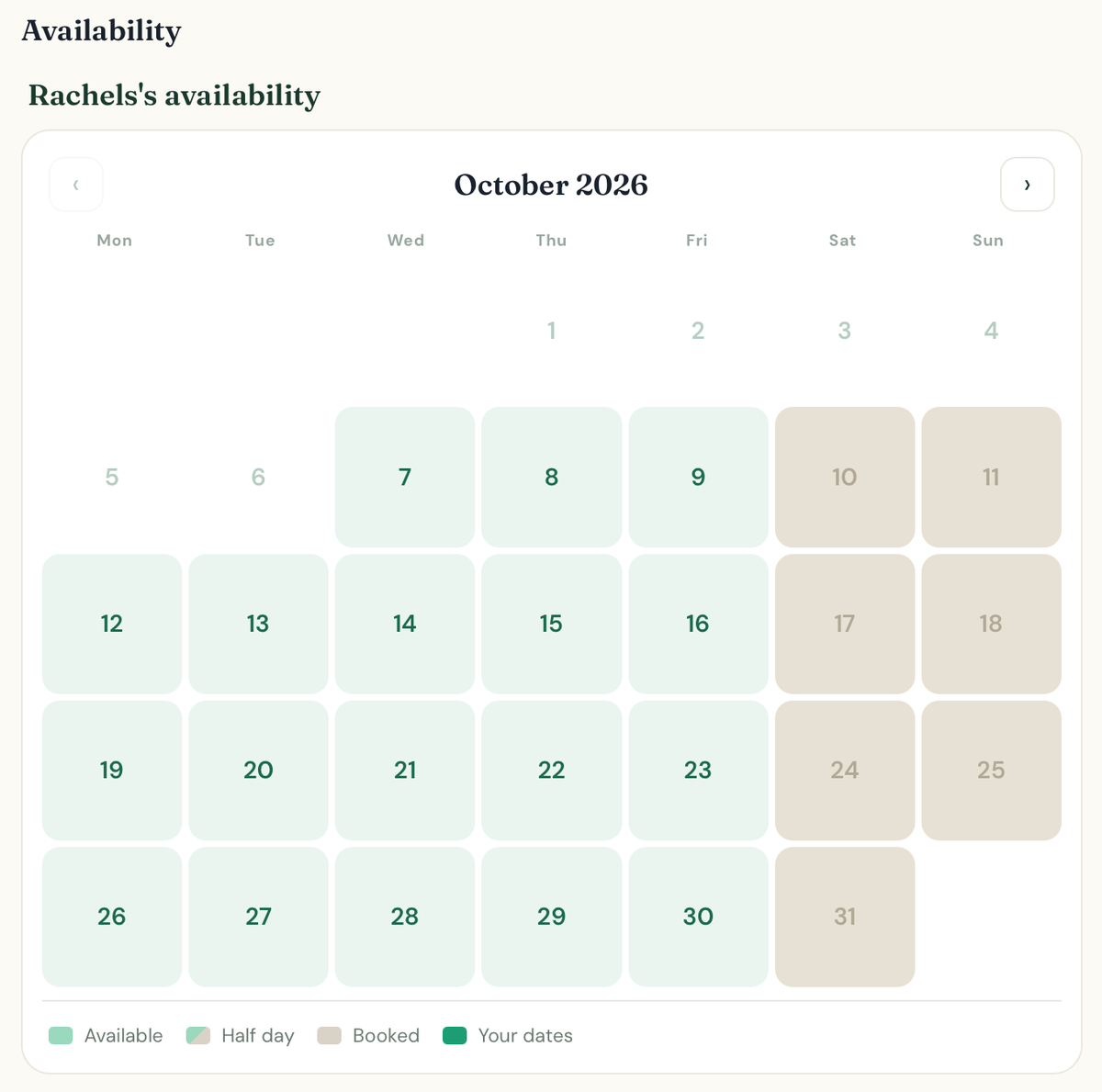
Why it is so useful
It lets you work the days you really want to work. You might only want to do dog walks, or overnight stays, on certain days, such as Tuesday, Wednesday and Thursday, or any other mix. Set the rest to private and people you do not know cannot book them.
But say you have friends with a particularly nice dog that you love. If they have an account on The DoggyDesk and you have set their account to “Trusted” status, they can still book your private days whenever they like.
How to set it up
- Choose your private days. On the Calendar tab, tap each half of a day (or each slot for walkers) to cycle it: grey is unavailable, green is public and blue is private. The buttons above the calendar save time: “Weekdays public” and “Weekends private” set the rest of the month you are viewing in two taps.
- Set a client’s account to “Trusted” status. Open the Clients tab, find them under Registered clients and switch on Private calendar access. Clients appear there once they have an account and an accepted booking with you.
- Send your booking link. Everyone uses the same link. What each person sees on your calendar depends on whether their account has been set to “Trusted” status.
A client you added yourself as a guest, without an account, cannot be set to “Trusted” status. If they create a free account, they move up to Registered and you can then switch it on. See adding existing bookings with guest bookings.
Private days book just like public ones, and the calendar still stops double bookings. To see how, read how your booking calendar stops double bookings.
Questions and answers
What do other dog owners see on my private days?
Those days appear as unavailable, so they cannot book them. Only clients whose account you have set to “Trusted” status can see and book your private days.
Whose account can I set to “Trusted” status?
Clients who have an account on The DoggyDesk and an accepted booking with you. A guest client you added yourself can be set to “Trusted” status once they create a free account.
Can a client whose account is set to “Trusted” status tell which days are private?
No. To them your private days look like any other available day.
Does this work for dog walking as well?
Yes. Walking slots can be set to private in the same way, and clients whose account is set to “Trusted” status can book them.